
Most teachers using AI aren’t doing anything wrong on purpose. The problem is that the line between “helpful shortcut” and “federal privacy violation” is easier to cross than it looks — and most schools aren’t giving teachers the training to see it.
This article is a practical guide to student data privacy and AI tools: what information should never go into a consumer AI platform, what the actual legal risk is, and how to keep using AI productively without putting yourself or your students at risk.
If you want to see exactly which AI workflows save teachers the most time, our guide to AI prompts for teachers covers the tasks with the biggest time returns. This article is about doing those things without the privacy risk.
Why I’m Qualified to Write About This (and Why It Matters)
I don’t write about data privacy as a blogger who read the FERPA fact sheet. I coordinate clinical research at a federal university hospital, which means my day job is governed by data protection rules stricter than anything a school district enforces. Patient data and student data are legally different, but the compliance logic is identical: sensitive records about people who didn’t choose to be in your database, third-party processors, and consequences that land on the individual professional, not just the institution.
That background changes how I read the school AI guidance floating around, and one thing stands out: most of it tells teachers what not to do without explaining the mechanism. In clinical research, we learn the mechanism first — because rules you don’t understand are rules you’ll accidentally break. So this guide explains why each category of data is dangerous, not just that it is.
AI Privacy for Schools Starts With the Tier Problem
The first thing to understand is that the same AI tool can be safe or unsafe depending on which version you’re using.
ChatGPT’s free consumer tier, for example, uses conversation data to train future models unless a Data Processing Agreement (DPA) explicitly prohibits this. Putting student names, grades, IEP details, or other identifying information into the free tier violates FERPA and potentially COPPA — regardless of how careful you are with the content. The ChatGPT Team and Edu tiers include DPAs that prevent student data from being used to train future models. The free tier does not.
The same logic applies across tools. Standard Gemini follows Google’s consumer data policies. Google Workspace for Education — which most K-12 districts already have — includes FERPA and COPPA compliance for Gemini within that environment. The tool name is the same. The data protections are completely different.
The practical rule: before using any AI tool with anything related to students, the question isn’t “which tool is this” — it’s “which tier am I on, and has my district signed a Data Processing Agreement with this vendor?”
What FERPA Actually Prohibits
FERPA — the Family Educational Rights and Privacy Act — protects the privacy of student education records. It applies to all schools that receive federal funding, which includes virtually every public school in the United States.
Under FERPA, schools and teachers are prohibited from disclosing personally identifiable information (PII) from student records without written consent, except under specific circumstances. When a teacher copies student information into a consumer AI tool, that information moves to a third-party server outside the school’s control. That transfer is a FERPA disclosure — and without a signed agreement between the district and the vendor, it’s an unauthorized one.
Educational institutions faced an average of 2,507 cyberattack attempts per week as of 2025, and breaches have impacted over 1.8 million students in the U.S. since 2020. The Department of Education tightened enforcement in 2025, requiring schools to demonstrate proactive protections rather than reactive responses.
The consequences of FERPA violations include loss of federal funding and legal liability — but more practically for individual teachers, violations can expose you personally to school disciplinary action and, in cases involving minors, potential COPPA liability at the district level.
The Safe-Input Rule: What Never Goes Into a Consumer AI Tool
These are the categories of information that should never be pasted into a consumer-grade AI tool — meaning any free or personal-tier version without a district-signed Data Processing Agreement:
Student full names combined with any other identifying detail. A first name alone in an anonymous context is lower risk. A full name paired with a grade, school, behavioral note, or academic record is PII under FERPA. Even “a student in my 4th period class named Jordan who scored 62% on the last assessment” is identifiable enough to trigger concern.
IEP content, 504 plans, or special education documentation. This is among the most sensitive categories of student records. IEP details — learning goals, disability classifications, accommodations, therapy notes — should never touch an unapproved platform. Specialized tools like PlaygroundIEP, IEPz, and Let’s Go Learn are built specifically to de-identify this data before it interacts with AI engines. If you’re not using one of those, the IEP stays off the AI tool entirely.
Disciplinary records or behavioral incident notes. Notes about a student’s behavior, disciplinary history, or interpersonal conflicts are education records under FERPA. Pasting them into a consumer tool to help draft a parent email or incident report creates an unauthorized record outside the school system.
Grades, assessment scores, or academic progress data attached to identifiable students. Aggregate or anonymized data — “the class average was 74%” — is generally fine. Data attached to a specific student, even without a name, risks becoming identifiable through context.
Parent contact information or family details. Names, email addresses, phone numbers, or any details about a student’s family shared with you in your professional capacity as a teacher are not yours to input into third-party platforms.
Photographs or video of students. Images of students are covered under FERPA and additionally implicate state biometric privacy laws in some jurisdictions. Do not upload student images to consumer AI tools for any purpose.
What You Can Safely Use AI For
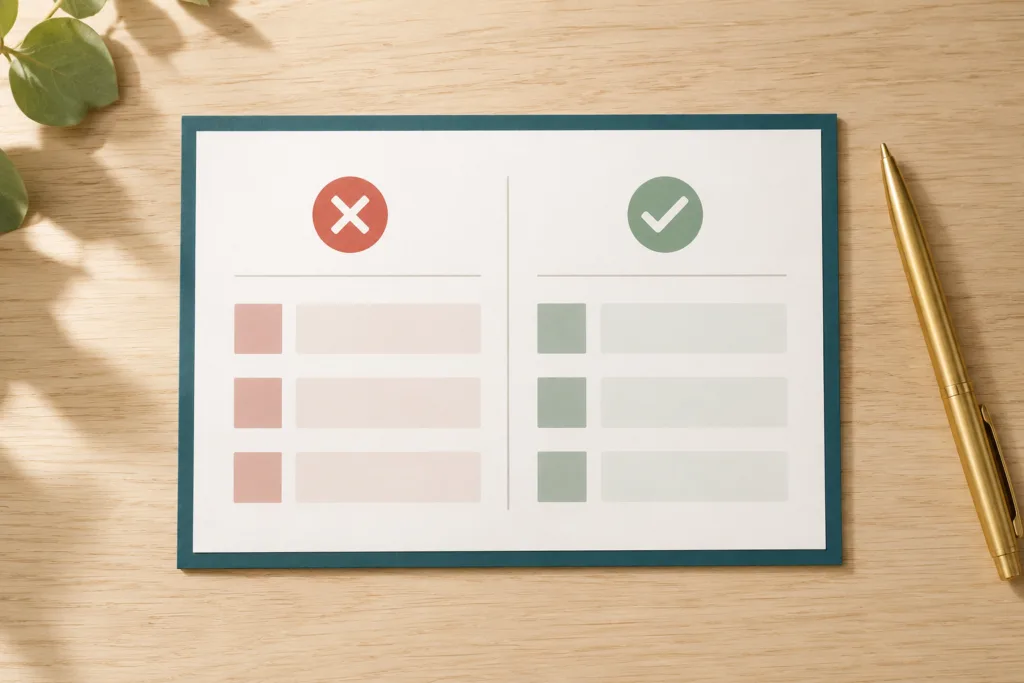
The safe-input rule doesn’t mean avoiding AI — it means being specific about what goes in.
Everything that involves your professional work but no identifiable student data is fair game on standard consumer tools:
- Drafting generic parent email templates (fill in the specific student details yourself after)
- Generating practice problems, quiz questions, or rubric drafts for a topic or standard
- Planning lesson frameworks or unit outlines
- Writing professional development reflections in general terms
- Researching pedagogical strategies, differentiation approaches, or content explanations
- Drafting your own professional communications that don’t reference students by name
60% of teachers used AI in 2025, but roughly two-thirds received no training from their schools. That gap — broad adoption without guidance — is exactly how well-intentioned teachers end up on the wrong side of a privacy policy without realizing it.
The Tier Check: A Simple Question Before You Paste
Before putting anything into an AI tool, ask two questions:
1. Does this contain any information that could identify a specific student?
If yes, stop. Use one of the district-approved, DPA-covered tools your school has vetted, or de-identify the information completely before proceeding.
2. Is this tool covered by a Data Processing Agreement signed by my district?
If you don’t know, assume no. Check with your school’s IT department or data privacy officer. Most districts maintain a list of approved vendors. If your tool isn’t on it, treat it as consumer-grade.
NotebookLM is one tool that is safe in its standard free form, because it only processes what you upload and does not connect to the broader internet. For teachers who need AI grounded in specific materials — curriculum documents, rubrics, their own notes — without privacy risk, this is worth knowing.
If you’re the person at your school choosing safe AI tools for everyone else — a coach, a department head, an IT coordinator — the vetting sequence that works is the same one we use for research software: check for a signed DPA first, confirm the vendor’s data retention policy in writing second, and only then evaluate features. A tool with great features and no DPA is a liability with a good interface.
A Note on “Deleted” Chats
A common misconception is that deleting your chat history from an AI tool removes the risk. It doesn’t — at least not reliably.
AI platforms vary widely in how they store, retain, and archive conversations. Deletion in the user interface doesn’t necessarily mean deletion from the vendor’s servers, and it certainly doesn’t mean the data wasn’t processed or transmitted in the time between input and deletion. For any information that would be sensitive in a legal context — student records, disciplinary notes, IEP content — the only safe approach is not to enter it in the first place.
Frequently Asked Questions
Can I use ChatGPT to help write a parent email about a specific student?
Not on the free consumer tier if the email contains the student’s name or identifying details. You can use AI to draft a template — the structure, tone, and phrasing — and then fill in the student-specific details yourself afterward. That keeps identifiable information off the platform.
What if I remove the student’s name — is that enough?
Not always. Under FERPA’s “reasonable person standard,” information that could allow someone familiar with the school community to identify a student still counts as PII. “A 7th grader in my 3rd period class with an IEP who struggles with reading” could be identifiable in a small school. When in doubt, anonymize more aggressively or use a district-approved tool.
Does this apply to teachers in the UK, Canada, and Australia too?
The specific laws are different — the UK operates under GDPR and the Data Protection Act 2018, Canada under PIPEDA and provincial laws, and Australia under the Privacy Act — but the practical principle is the same in all jurisdictions: student data is sensitive, consumer AI tools don’t carry the same protections as district-approved enterprise tools, and the gap between them is where violations happen.
My school hasn’t given me any guidance on this. What should I do?
Use the safe-input rule as your default until guidance arrives: no identifiable student information goes into any tool that hasn’t been explicitly approved by your district. For everything else, consumer tools are generally fine. This is conservative, but it’s the right default when institutional guidance is absent.
How do schools choose safe AI tools?
The reliable filter has three layers, in order: a signed Data Processing Agreement with the district, a written data retention policy (ideally with automatic deletion windows), and third-party security certification. Feature comparisons come last. Districts that maintain public AI inventories — lists of every approved tool — make this easy for teachers; if yours doesn’t, ask your data privacy officer which vendors have DPAs on file.
This article is for informational and educational purposes only and does not constitute legal advice. Privacy law requirements vary by jurisdiction and institution. If you have questions about FERPA compliance or data privacy obligations specific to your school, consult your district’s data privacy officer or legal counsel.
Sources
- Concentric AI — FERPA Compliance Guide for AI in Education (2026)
- SchoolAI — FERPA & COPPA Compliance Guide for School AI Infrastructure (January 2026)
- SchoolAI — AI Privacy in Education: A Teacher’s Guide (March 2026)
- SchoollyAI — Student-Safe AI Tools in 2026: What Teachers Need to Know
- Future of Privacy Forum — Vetting Generative AI Tools for Use in Schools (2024)
- NEA — Federal Regulations Related to Artificial Intelligence (2025)
- NMU Center for Teaching and Learning — Understanding FERPA in the Context of Generative AI

Hi, I’m Marcos Antonio — a researcher with a deep passion for education and technology.
I created GrowthLane because I’ve seen firsthand the exhaustion that takes hold of so many teachers, and how few people talk about the ways out. I believe educators deserve more time, less burnout, and the freedom to build the next chapter of their own careers — and that artificial intelligence, used the right way, can make all of it happen faster.
Here you’ll find practical strategies to ease your workload with AI, recover from burnout, earn extra income, and — if you choose to — transition into a career beyond the classroom. No magic formulas. Just honest, tested advice, written for the real lives of the people who teach — and grounded in deep research on the subject.
When I’m not writing, you’ll find me exploring new tools, going for long walks, drinking too much coffee, playing online games, and spending time with my family — the greatest purpose of my life. I’m so glad you’re here. Let’s build a brighter path together.