

Most “AI for teachers” content tells you what’s possible. This article gives you the exact AI prompts for teachers to paste into ChatGPT or Claude right now — for the four tasks that eat the most hours out of a teacher’s week.
No setup required. No new tools to learn. Just open any AI assistant in a browser tab and use what’s below.
A quick note before you start: none of these prompts should include real student names, grades, or identifying information. Use placeholder descriptions like “a 7th grade student who struggles with reading fluency” instead of actual student data. If you want to understand exactly why that matters, our guide on student data privacy and AI tools explains the specifics.
Why These AI Prompts for Teachers Focus on Four Tasks — and Not Others
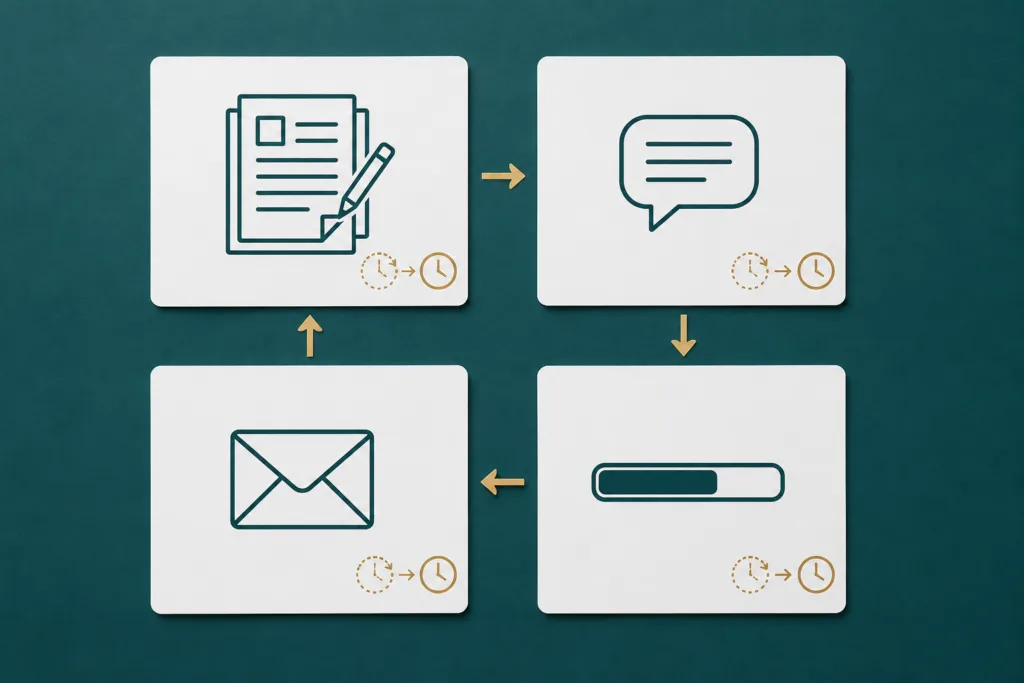
Research shows lesson planning alone consumes 7 to 10 hours per week for the average teacher, split across seven separate steps that each rely on a different tool. Add grading, parent communication, and progress reports, and you have a workload that routinely pushes teachers 10 hours past their contracted time every single week.
84% of teachers say they don’t have enough time during their regular work hours to complete tasks like grading, lesson planning, paperwork, and answering emails. That’s not a minority struggling to cope — that’s the structural reality of the job.
These four tasks share one characteristic: they require your professional judgment to be useful, but they don’t require you to produce the first draft from a blank page. That’s exactly where AI earns its place — drafting the skeleton so you can focus on the substance. The AI prompts for teachers below are built around that principle.
Task 1: Lesson Planning (Saves 2–4 Hours Per Week)
The Prompt
Copy the text below and paste it into ChatGPT, Claude, or Gemini. Replace everything in [BRACKETS] with your own information.
You are an experienced curriculum designer. Create a detailed lesson plan for a [SUBJECT] class with [GRADE LEVEL] students. The lesson should:
- Focus on: [SPECIFIC TOPIC OR STANDARD]
- Duration: [NUMBER] minutes
- Include: a warm-up activity (5 min), direct instruction (15 min), guided practice (15 min), independent practice (10 min), and an exit ticket (5 min)
- Differentiate for: one student who finishes early and one who needs extra support
- Include at least two discussion questions that require higher-order thinking
Format the output with clear headings for each section. Write the exit ticket question at the end.
Example — Filled In
Here’s what the prompt looks like when you fill it in for a real lesson:
You are an experienced curriculum designer. Create a detailed lesson plan for an 8th grade ELA class with 28 students. The lesson should:
- Focus on: identifying the author’s purpose in informational texts (aligned to CCSS RI.8.6)
- Duration: 45 minutes
- Include: a warm-up activity (5 min), direct instruction (15 min), guided practice (15 min), independent practice (10 min), and an exit ticket (5 min)
- Differentiate for: one student who finishes early and one who needs extra support
- Include at least two discussion questions that require higher-order thinking
Format the output with clear headings for each section. Write the exit ticket question at the end.
What You Get Back
A complete lesson plan with all sections structured, discussion questions written, a differentiated extension activity, and a ready-to-use exit ticket. Your job: read it, adjust what doesn’t match your classroom reality, and use it. Most teachers report this takes under 10 minutes of review — compared to 60–90 minutes of writing from scratch.
Where your judgment still matters: the AI doesn’t know which students will derail the guided practice, or that your class responds better to visual anchors than written ones. That’s what you add when you edit.
Task 2: Grading Feedback on Written Work (Saves 1–3 Hours Per Week)
The goal here isn’t to have AI assign grades — it’s to have AI draft the written feedback so you’re editing comments instead of writing them from zero.
The Prompt
You are a writing coach who gives specific, encouraging, and honest feedback to students. Review the following student writing sample against the rubric provided and draft feedback that:
- Opens with one genuine strength (be specific — name the actual technique or moment that worked)
- Identifies the single most important area to improve
- Gives one concrete, actionable suggestion the student can apply immediately
- Closes with a forward-looking comment about their growth as a writer
- Uses a supportive but honest tone — not generic praise
Keep the feedback under 100 words. Do not assign a grade.
RUBRIC:
[PASTE YOUR RUBRIC HERE]
STUDENT WRITING:
[PASTE STUDENT WRITING HERE — remove any identifying information first]
How This Works in Practice
A teacher copies a student’s paragraph (with the name removed), pastes the class rubric, and receives a draft feedback comment. She reads it in 30 seconds, changes two phrases to match her voice, and saves it. For a class of 30 essays, this process turns a four-hour Sunday into a 90-minute one.
Where your judgment still matters: AI feedback is based on the text alone. You know this student tried something new this week, or wrote this in 10 minutes because they were managing a difficult situation. Those human layers go into the final comment. The AI gives you the structure; you add the context.
Task 3: Parent Emails — Especially the Difficult Ones (Saves 30–60 Minutes Per Week)
The blank page problem is worst here — not because the content is complex, but because the emotional weight of difficult parent communication makes starting harder. AI removes that block entirely.
Prompt for a Concern Email
Write a professional, empathetic email from a teacher to a parent about a student concern. The email should:
- Open by acknowledging something positive about the student
- Describe the concern clearly and specifically, without sounding accusatory
- Propose one concrete next step or invite collaboration
- Close warmly and professionally
- Be no longer than 150 words
The concern is: [DESCRIBE THE SITUATION — use “your student” instead of the real name]
The positive to acknowledge: [ONE GENUINE THING]
The proposed next step: [WHAT YOU WANT TO HAPPEN]
Prompt for a Positive Update Email
Write a short, warm email from a teacher to a parent sharing a positive update about their child. Keep it under 100 words. Be specific about what the student did — avoid generic praise like “doing great.”
The update is: [DESCRIBE WHAT HAPPENED]
Why Structure Makes This Work
Vague prompts produce vague emails. Structured prompts with specific inputs produce emails that sound like you — because the substance is yours and the AI only handled the drafting. The 10 seconds it takes to fill in the blanks saves the 20 minutes you’d spend staring at the screen.
Task 4: Progress Report Comments (Saves 2–3 Hours Per Reporting Period)
Progress report comments are the most concentrated version of the blank-page problem in teaching. Thirty comments, each one needing to be specific, positive, honest, and different from the last — all written in a single evening.
The Prompt
Write five distinct progress report comments for five different student profiles. Each comment should:
- Be between 40 and 60 words
- Be specific to the student’s profile described
- Include one strength, one area for growth, and one forward-looking statement
- Sound warm and professional — not generic or copy-pasted
- Avoid any language that could sound overly clinical
Here are the five student profiles (no real names — use the labels I give):
Student A: [DESCRIBE PERFORMANCE LEVEL, ATTITUDE, AND ONE SPECIFIC RECENT MOMENT]
Student B: [DESCRIBE PERFORMANCE LEVEL, ATTITUDE, AND ONE SPECIFIC RECENT MOMENT]
Student C: [DESCRIBE PERFORMANCE LEVEL, ATTITUDE, AND ONE SPECIFIC RECENT MOMENT]
Student D: [DESCRIBE PERFORMANCE LEVEL, ATTITUDE, AND ONE SPECIFIC RECENT MOMENT]
Student E: [DESCRIBE PERFORMANCE LEVEL, ATTITUDE, AND ONE SPECIFIC RECENT MOMENT]
How to Use This at Scale
Write brief notes about five students at a time — just two or three descriptive phrases each — and run the prompt. Review the five comments, edit what doesn’t fit, and move to the next batch. A class of 30 students becomes six batches. Most teachers complete this in under 90 minutes instead of the four or five hours that progress report night typically requires.
The key: the more specific your descriptions, the more useful the output. “Strong effort, works well in groups” produces a generic comment. “Improved from 60% to 82% on the last three quizzes after starting to use flashcards, and helped a peer understand fractions last Tuesday” produces a comment that sounds like you actually know the student — because the input came from you.
The One Rule That Makes All of This Work
Every prompt above is built around the same principle: you provide the substance, AI provides the structure.
Your professional knowledge — what happened in class, what this student needs, what you actually want to say — is irreplaceable. The AI’s contribution is eliminating the part where you sit looking at a blank page trying to find a starting point.
The teachers who save the most time with AI prompts are the ones who keep their inputs specific. Specific input → specific output → fast editing. Vague input → generic output → start over.
Try one prompt this week. Start with whichever task costs you the most energy right now. Run it, edit the output for five minutes, and see how it compares to your usual process.
For a deeper look at how AI fits into burnout recovery — not just productivity — our teacher burnout and AI guide covers what changes when these tools become part of your routine.
Frequently Asked Questions
Will my school know I used AI to write lesson plans or feedback?
Using AI as a drafting assistant is similar to using a planning template — the final product reflects your professional judgment. Most school policies address AI use by students, not teachers using AI as a professional tool. Check your district’s specific guidance if you’re unsure.
What if the AI output sounds nothing like me?
That’s normal at first. Add a line to your prompt: “Write in a direct, warm tone — avoid corporate-sounding language.” After a few rounds of editing, you’ll get faster at spotting what to change, and the output will start to match your voice more closely.
How do I know if the lesson plan AI generates is curriculum-aligned?
Always specify the standard or learning objective in your prompt — don’t assume the AI knows your curriculum. Check the output against your pacing guide before using it. AI is good at structure; alignment to your district’s specific scope and sequence is yours to verify.
Can I use these prompts on my phone?
Yes. ChatGPT, Claude, and Gemini all have mobile apps. Some teachers run these during prep periods or on the commute home. The outputs copy and paste cleanly into Google Docs or your school’s LMS.
This article is for informational purposes only. Always review AI-generated content before using it with students or sharing it with parents. Do not input real student names, grades, or personally identifiable information into consumer AI tools without a district-approved Data Processing Agreement in place.
Sources
- Pew Research Center — How K-12 Public Teachers Manage Their Workload (April 2024)
- Gallup / Walton Family Foundation — Teachers Using AI Weekly Save Six Weeks a Year (2025)
- RAND Corporation — Teacher Well-Being, Pay, and Intentions to Leave in 2026
- Discovery Education — Top 4 Tasks Taking Up Teachers’ Time (2025)

Hi, I’m Marcos Antonio — a researcher with a deep passion for education and technology.
I created GrowthLane because I’ve seen firsthand the exhaustion that takes hold of so many teachers, and how few people talk about the ways out. I believe educators deserve more time, less burnout, and the freedom to build the next chapter of their own careers — and that artificial intelligence, used the right way, can make all of it happen faster.
Here you’ll find practical strategies to ease your workload with AI, recover from burnout, earn extra income, and — if you choose to — transition into a career beyond the classroom. No magic formulas. Just honest, tested advice, written for the real lives of the people who teach — and grounded in deep research on the subject.
When I’m not writing, you’ll find me exploring new tools, going for long walks, drinking too much coffee, playing online games, and spending time with my family — the greatest purpose of my life. I’m so glad you’re here. Let’s build a brighter path together.